


🔥 Create a Custom Big-Head 3D CGI Caricature from Your Photo
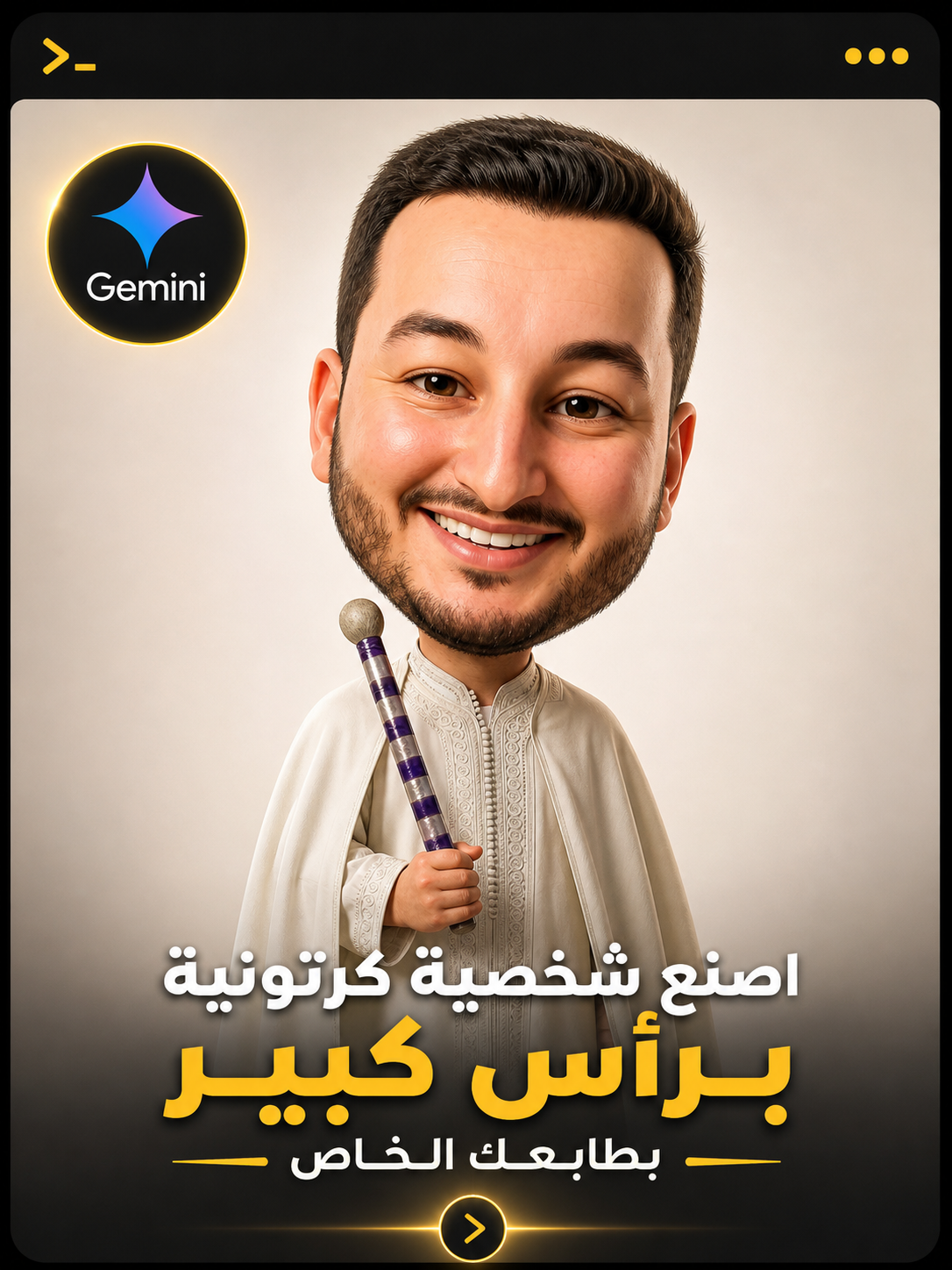
This isn’t a cheap cartoon filter... it’s a professional transformation of your likeness into a hyper-realistic 3D CGI caricature with a stylized oversized head, while maintaining 100% of your authentic identity.
🎯 The Master Prompt
Create a hyper-realistic CGI caricature of the person from the uploaded image, using the uploaded image as the ONLY and COMPLETE visual reference.

IDENTITY PRESERVATION (CRITICAL):
Strictly preserve the exact facial identity, proportions, bone structure, skin tone, age cues, hairstyle, beard, and all recognizable features.
No redesign, no reinterpretation, no beautification.

CARICATURE STYLE (CONTROLLED):
Transform the subject into a realistic caricature with:
- Slightly oversized head (around 1.5x normal scale)
- Compact, slightly shortened body proportions
- Subtle exaggeration only — NOT cartoonish, NOT Pixar, NOT toy-like

The result must look like a real human translated into high-end CGI, not a cartoon.

DETAIL & MATERIALS:
- Realistic skin shading with visible pores and micro-texture
- Natural imperfections preserved (no smoothing filters)
- High-detail hair and beard strands
- Physically accurate materials and reflections

CLOTHING & APPEARANCE:
Replicate clothing, colors, accessories, and pose EXACTLY as in the original image.
No changes, no added styling.

LIGHTING & ENVIRONMENT:
- Clean studio daylight or soft natural daylight
- Realistic shadows and grounding
- Neutral off-white or light gray seamless background

OUTPUT QUALITY:
Ultra-high definition, 8K, hyper-realistic CGI render
Cinematic clarity, sharp focus, premium visual quality

CONSTRAINTS:
No text, no logos, no watermarks, no background distractions

ASPECT RATIO:
4:5 vertical
⚠️ Critical Mistakes to Avoid
- Exaggerating head size too much → turns into a cheap plastic toy rather than high-end CGI
- Applying skin smoothing filters → completely wipes out authentic facial identity
- Weak lighting cues → collapses realistic depth, shadows, and materials
- Adding random imagined elements → immediately breaks visual coherence
💡 Pro Enhancement (Boost Render Quality)
Append this line at the end:
subtle depth of field, studio photography, ultra sharp focus, high-end portrait rendering
🚀 Conclusion
The difference between an amateur cartoon render and high-end studio artwork is fine-tuned control over microscopic details. Here, you aren't just generating a generic character—you are rebuilding your authentic self in cinematic CGI.
🔥 More professional AI prompts:
👉 ceptice.com🎁
100 Best AI Prompts — Free Pack
Curated battle-tested prompts for portraits, commercial products, cinematic lighting, and camera gears — ready to copy and paste.
🎯 Featured Ceptice Resources
Browse Library


 Arabic